For demanding composers

No more
chaos.
Stay focused.

Run your whole sync production, from Logic Pro to your SACEM royalties.

Albums, tracks, deadlines, stems, publishers, follow-ups and profitability: your entire workflow in one app built specifically for composers.

Automatic Logic Pro project detection · Deliverables check · SACEM royalties tracking · Local data

Download for Mac — pick your chip:
🍎 Apple Silicon (M1-M4) Intel Windows — In development
Not sure which chip? Apple menu ▸ "About This Mac" shows "Apple chip" or "Intel processor". Requires macOS 12 (Monterey) or later.
Explore features — interactive demo
✓ No credit card required  ·  ✓ 100% local data  ·  ✓ macOS 12+ (Apple Silicon & Intel) — Windows coming soon
🔄 Constantly evolving app — regular updates included
Who it's for

Built for you if
you work with publishers

Library / Sync
Multiple albums in parallel, different publishers, accumulating deadlines — SYNC.PLANNER is built for you.
Video games
Track packs per level, precise technical briefs, loop/sting versions — track every delivery without getting lost.
Film & TV
Revisions, back-and-forth with directors, alternative versions — every status is tracked and every deadline is visible.
Advertising
Client briefs with constraints (30s, 60s), multiple versions, tight deadlines — manage everything from one tool.
Whatever your field — if you deliver tracks to publishers and manage deadlines, SYNC.PLANNER is built for you.
The problem

Too many tools,
not enough clarity.

A Google Sheet for deadlines, another for tracks, scattered notes, emails with publishers... Result: missed follow-ups, late deliveries, confusion. SYNC.PLANNER brings everything together in one clear, structured place.

The tool

Everything in one place,
clear and readable
SYNC.PLANNER
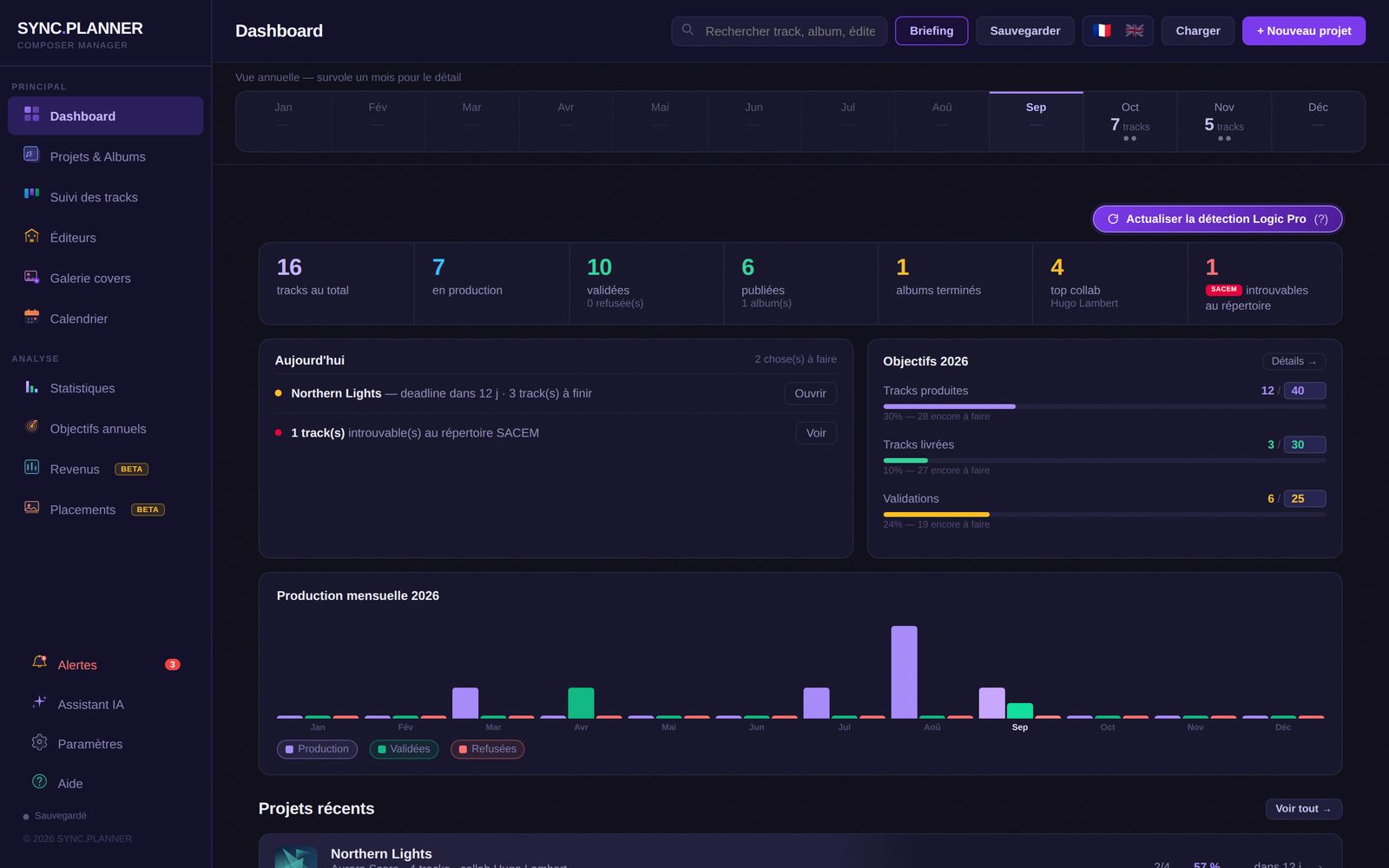
SYNC.PLANNER dashboard
Features

What it actually
does

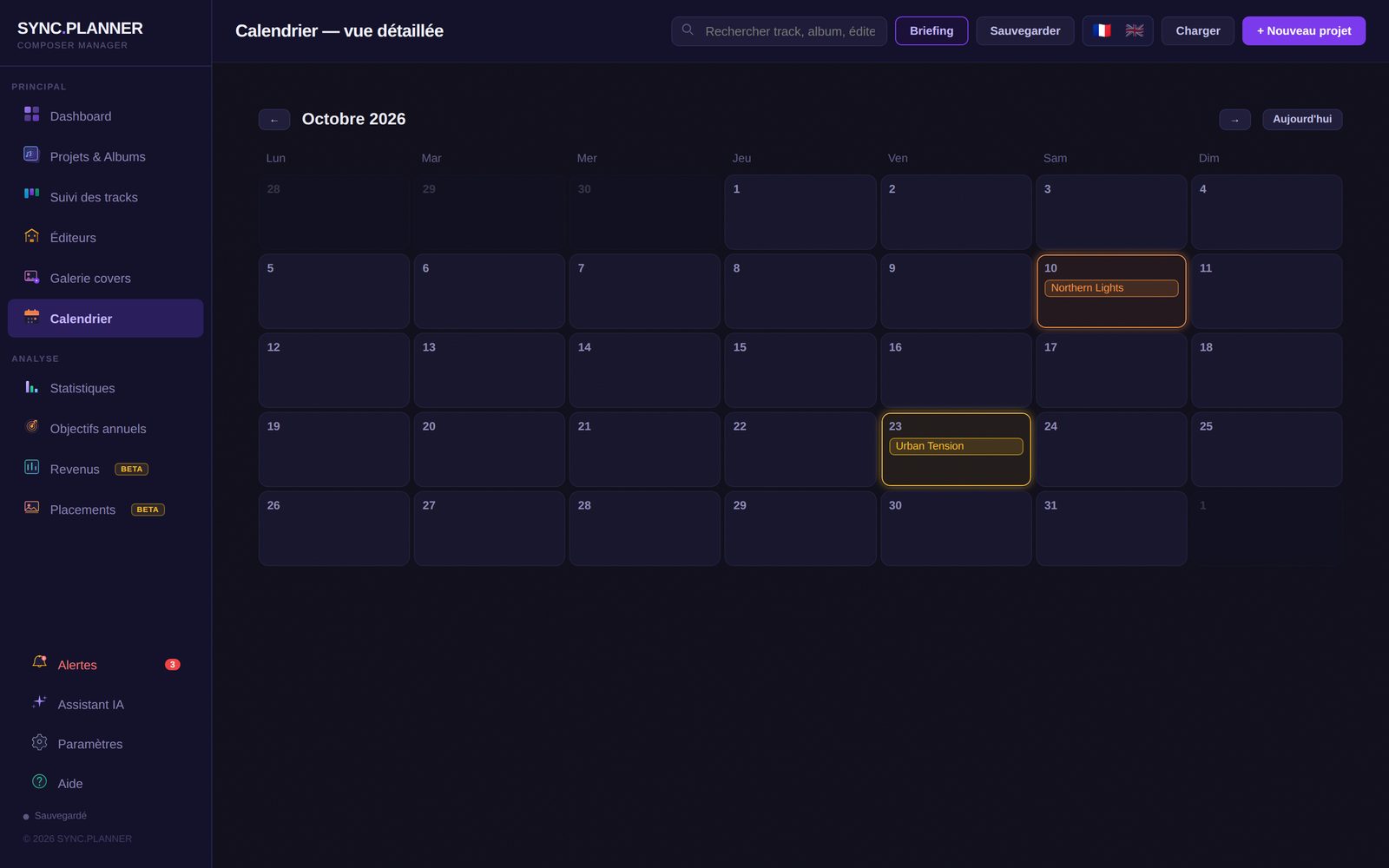
Deadlines under control
A clear view of what's urgent, what's in progress, and what's already delivered. No more unpleasant surprises.
Track every track
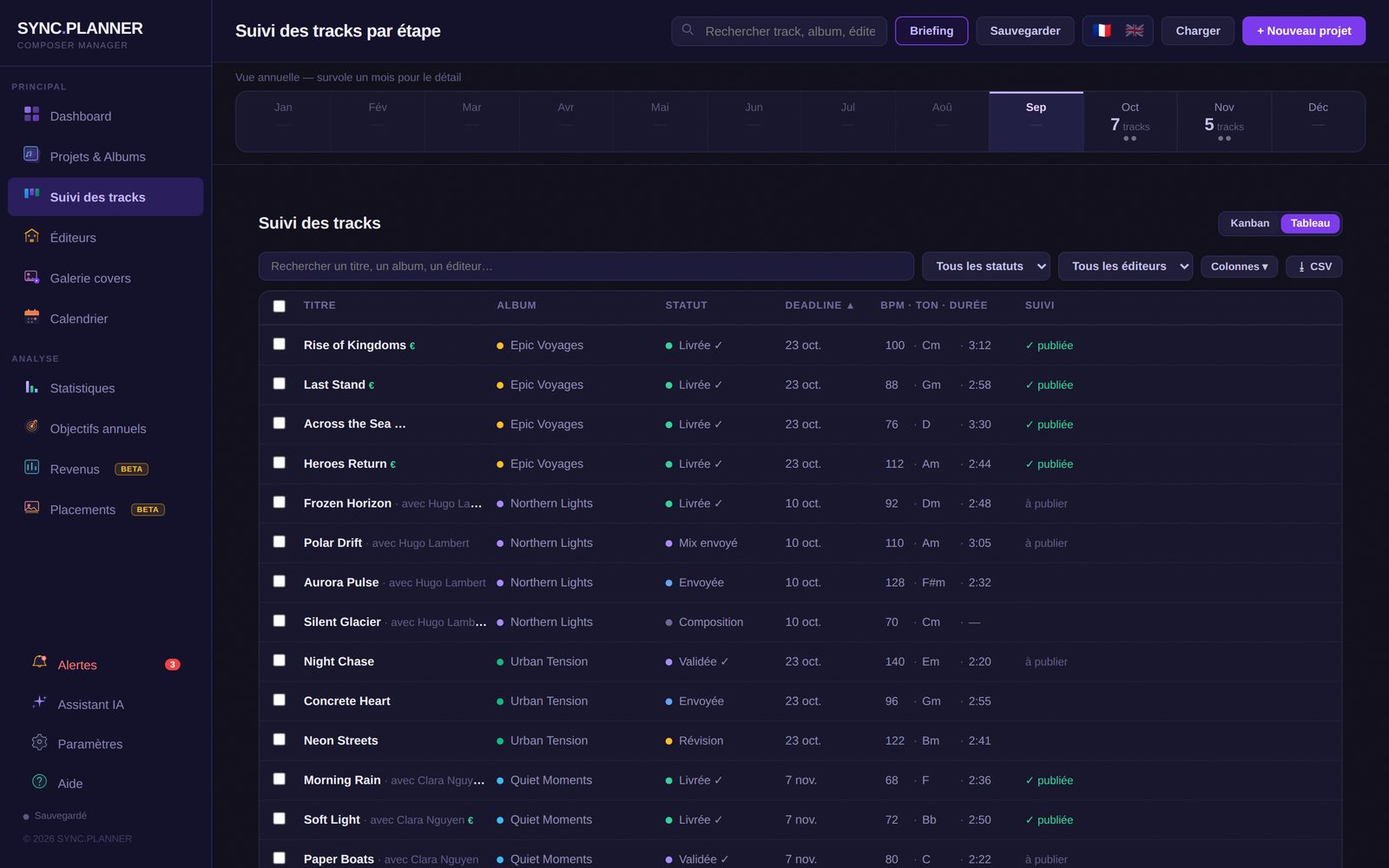
Composition, revision, mix, delivery — each track has its own status. Every project's progress is visible in real time.
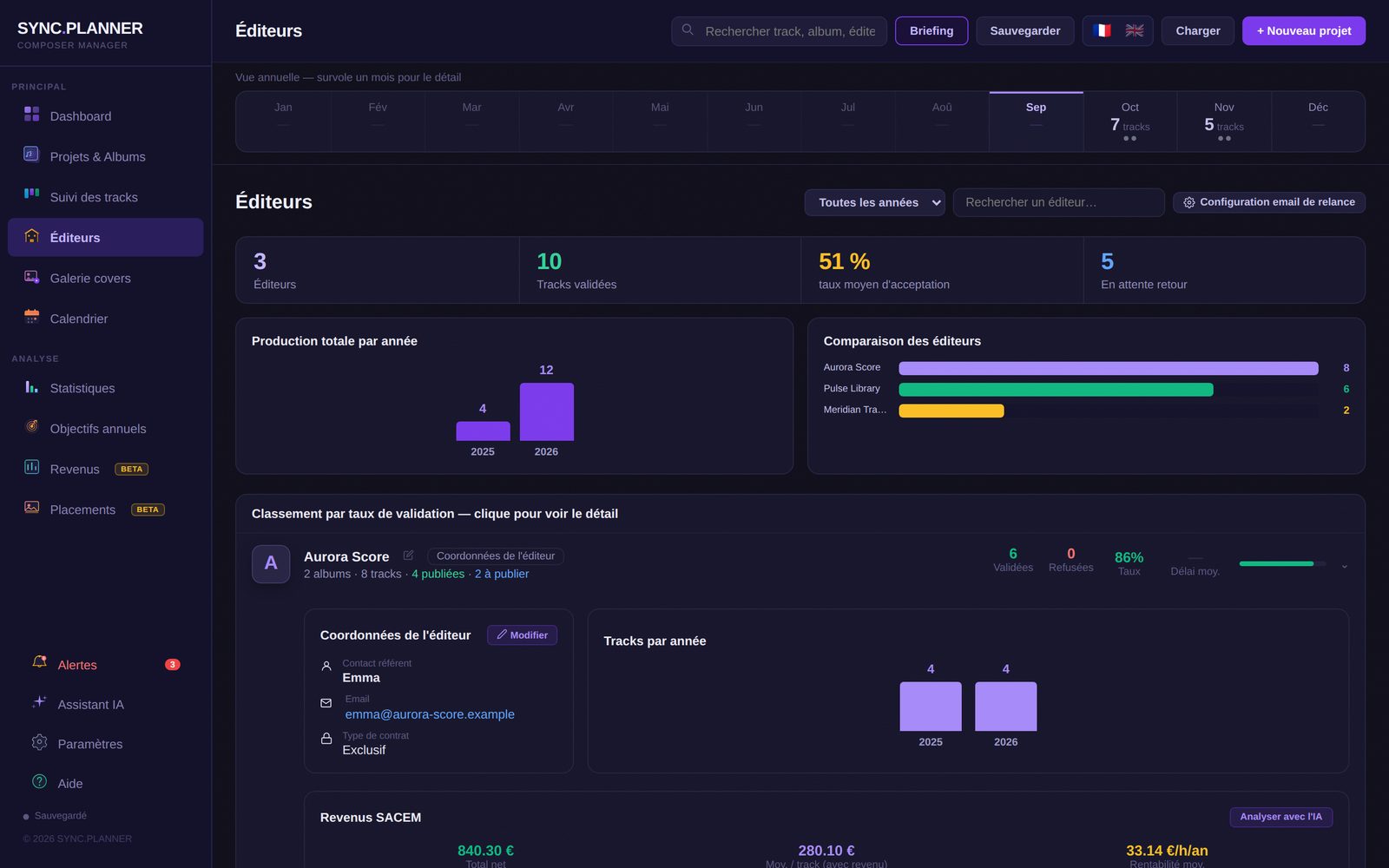
Publisher tracking
Contact details, validation rate, average response time, follow-up history: everything about your publishers in one place.
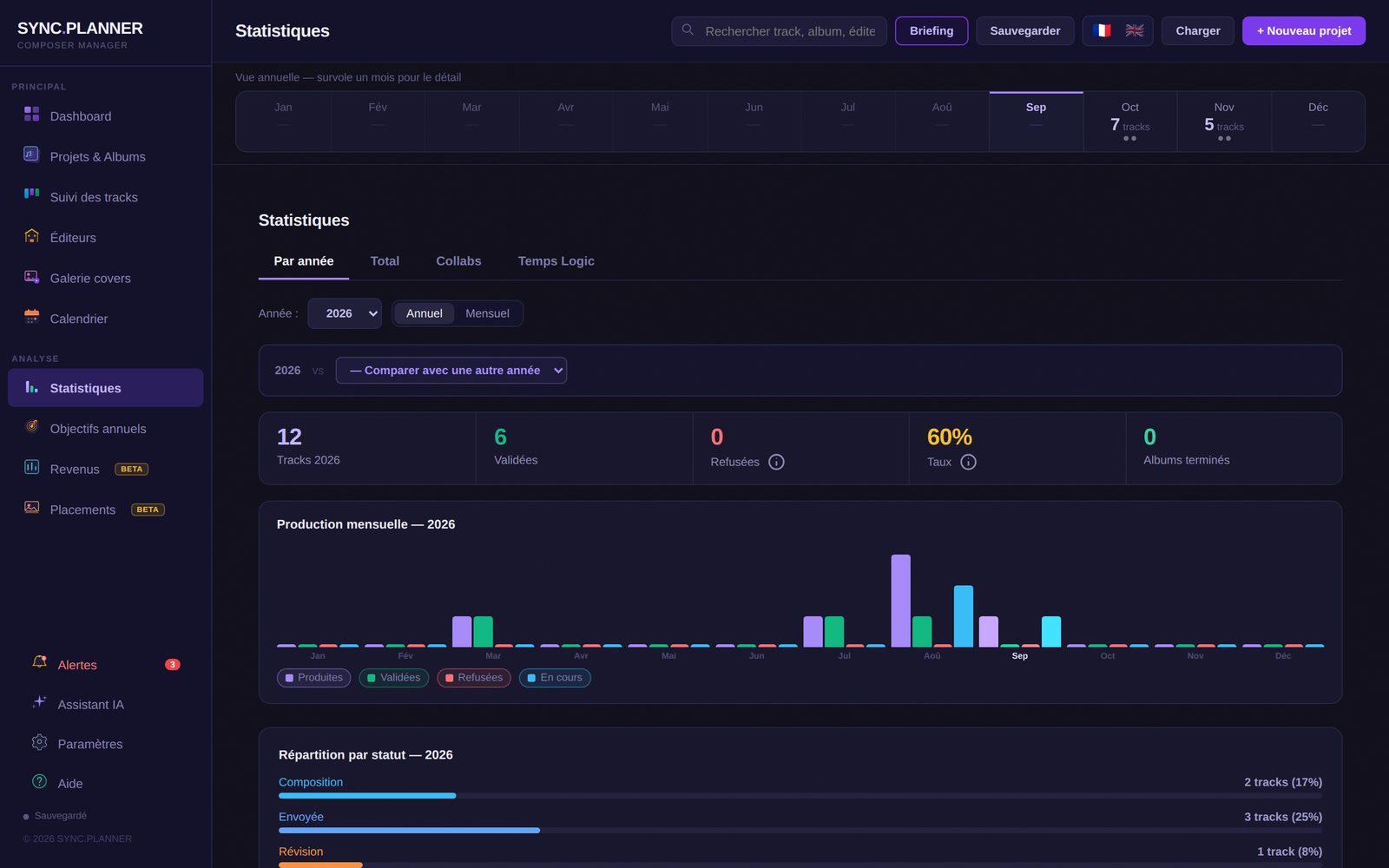
Production stats
Tracks produced, validation rate per publisher, monthly trends. Concrete data to better plan production.
Recycle refused tracks
A refused track isn't dead. Mark it available and transfer it to another project.
100% local & private
All management data stays on the user's computer. No cloud, no third-party server — except when optionally using the AI assistant. Total privacy.
PRO registrations (SACEM, BMI, PRS…)New
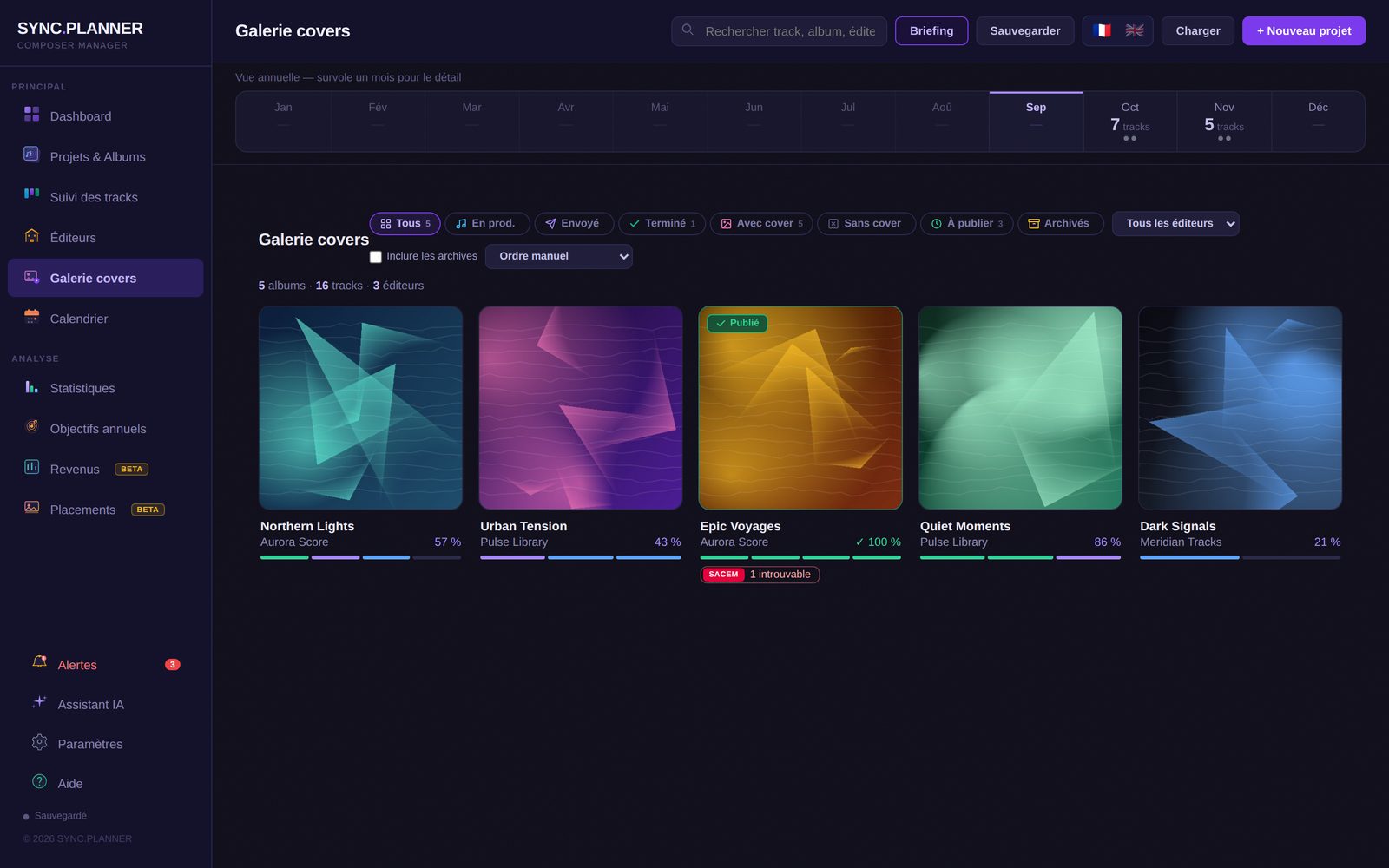
Import your works list: SYNC.PLANNER spots released tracks that can't be found and prepares a clear PDF to send to your publisher.
Sending to publishersNew
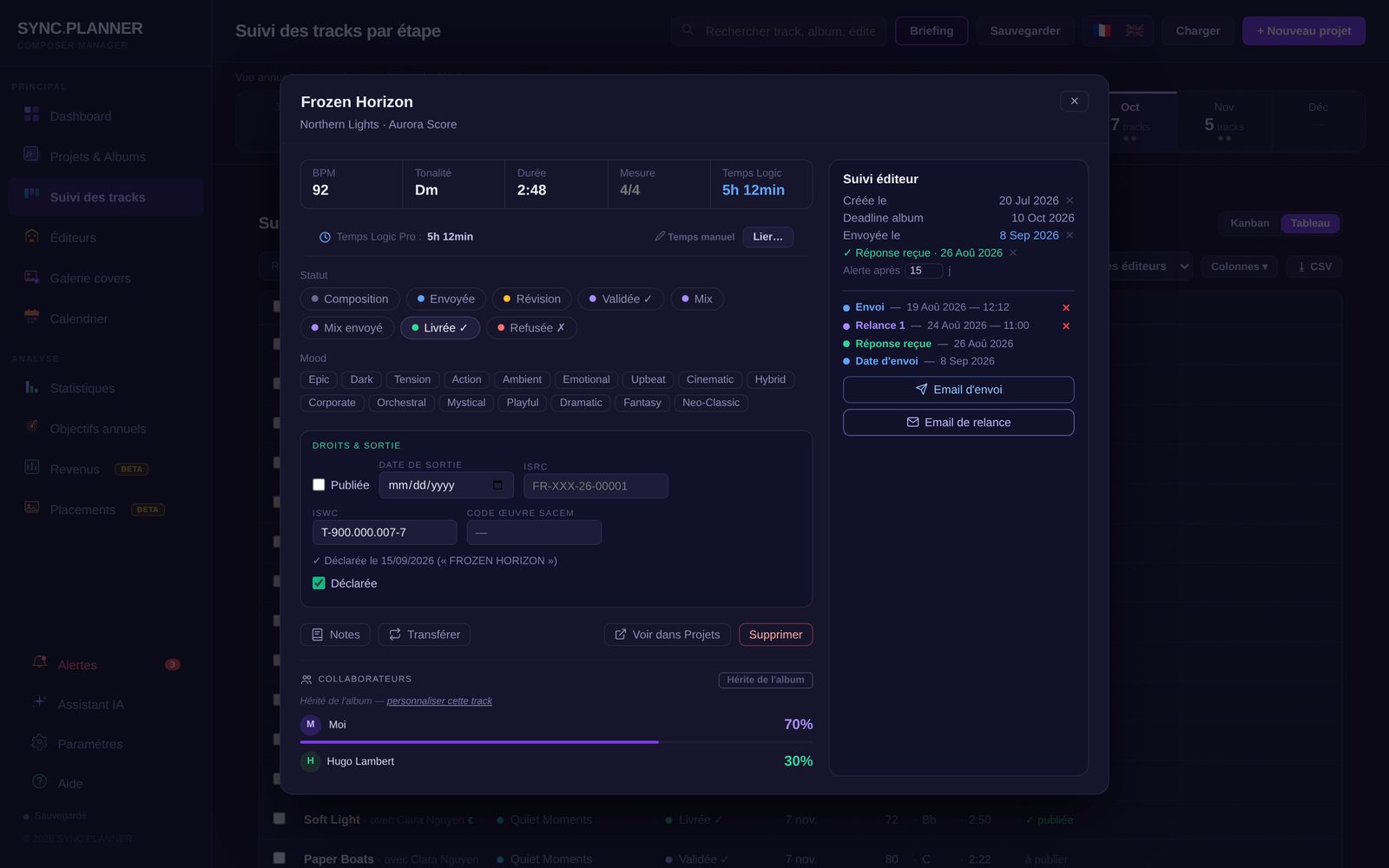
Submission email ready in one click, MP3 or WAV attached, bulk send of several tracks, and the full send / follow-up / reply history on each track.
Stems checkNew
Before delivery: missing Main, forgotten stem, offset start or mismatched format are flagged automatically. Plus an automatic daily backup.
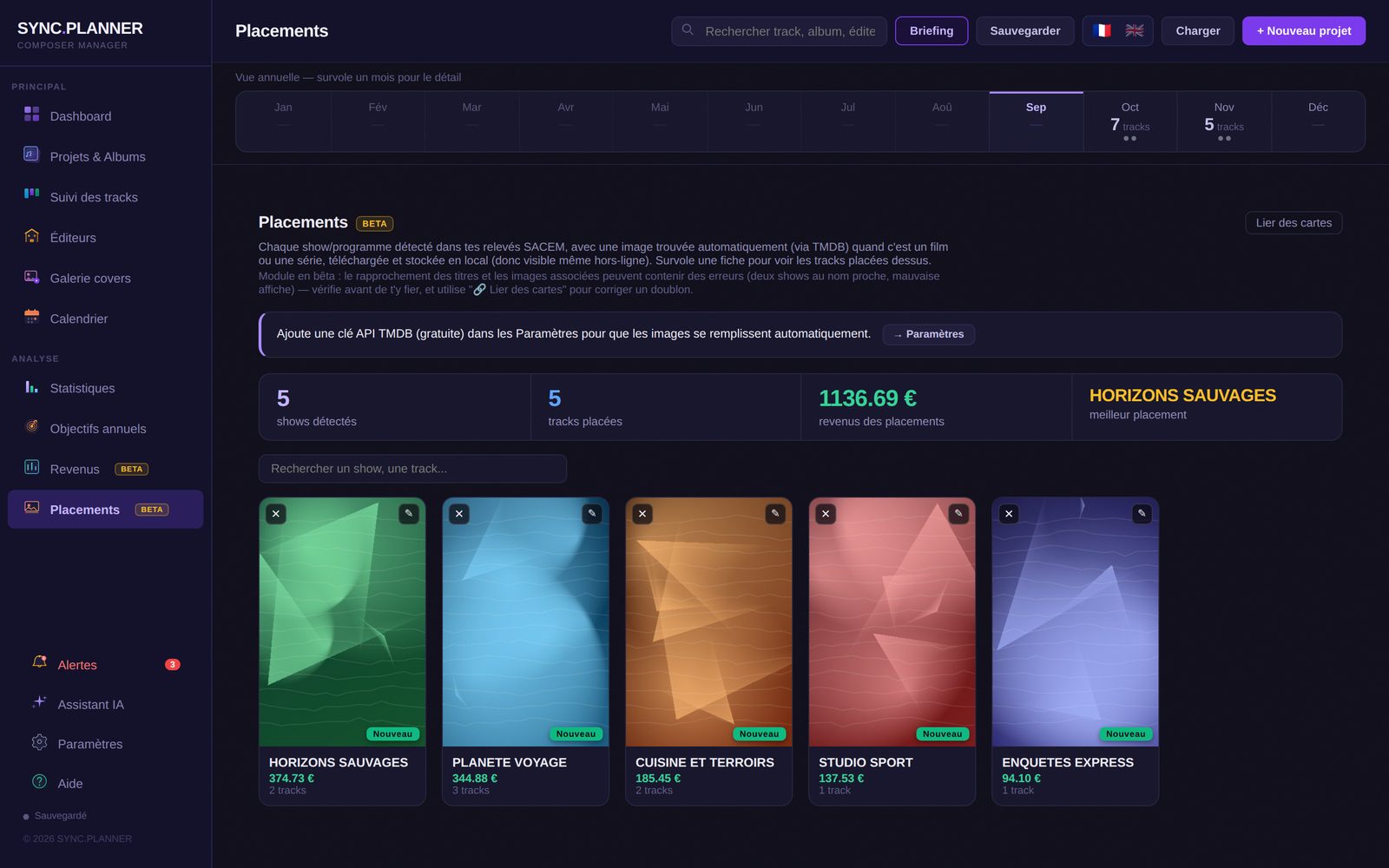
Automatic Logic Pro integration
Open a project in Logic Pro: SYNC.PLANNER detects it on its own, picks up the BPM, key and time signature, and tracks the time spent on each track (automatically paused after 10 minutes of inactivity). Renamed a project? It offers to relink it in one click. No manual entry.
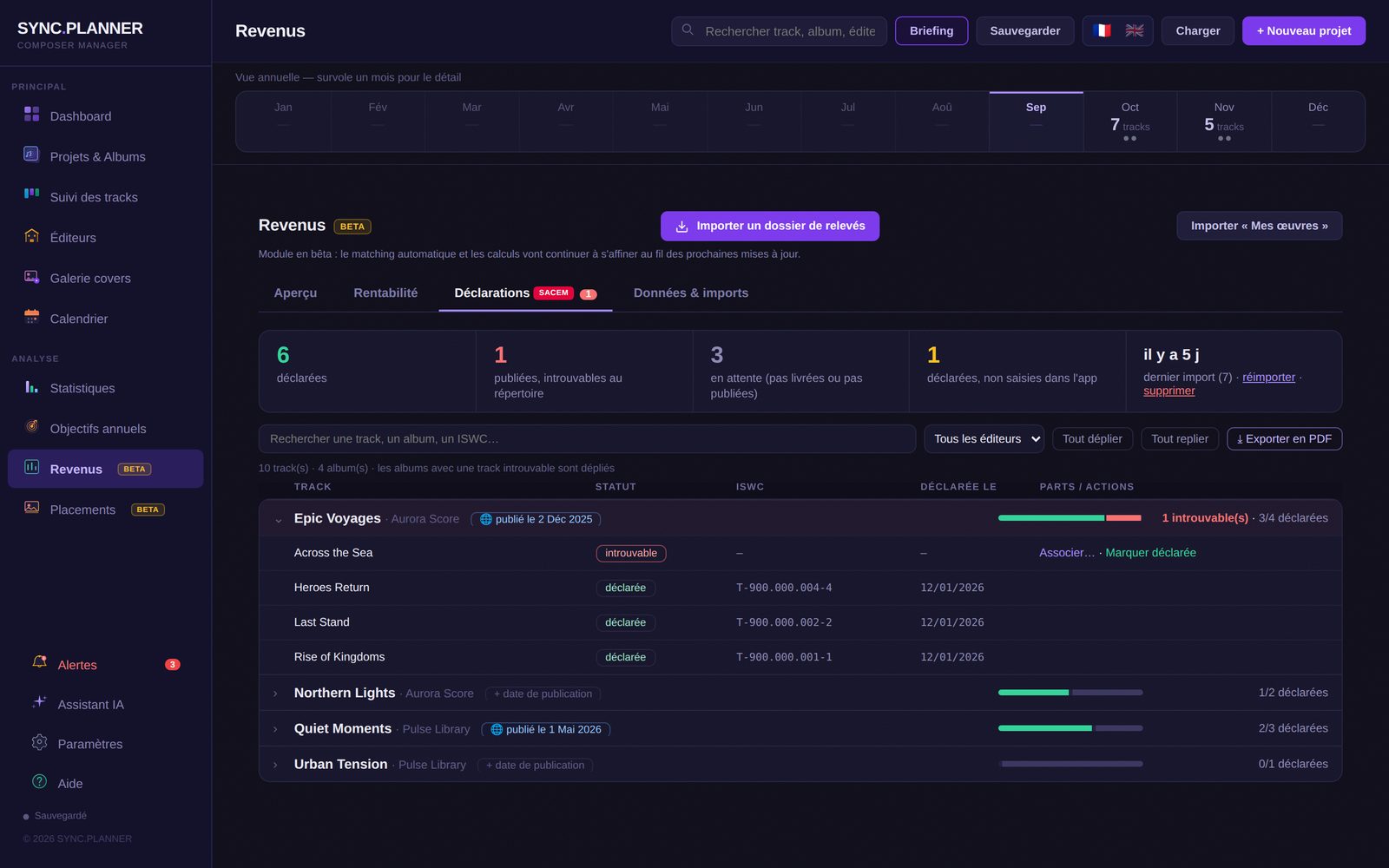
SACEM revenue & €/hour profitability
Import your SACEM statements: they're automatically matched to your tracks, with revenue by album and by publisher, plus the time you composed in Logic Pro to work out your profitability per hour. A BMI (US performing rights) integration is under consideration for composers also active on the US market.
🎁 Bonus — Built-in AI assistant (Beta)
Connect your own API key (OpenAI, Claude or Mistral) to get an AI assistant right inside SYNC.PLANNER. It can draw on your projects to help you prioritize production, analyze deadlines, prepare deliveries and answer your questions.
Why SYNC.PLANNER

Built for your
sync composer workflow

For sync music

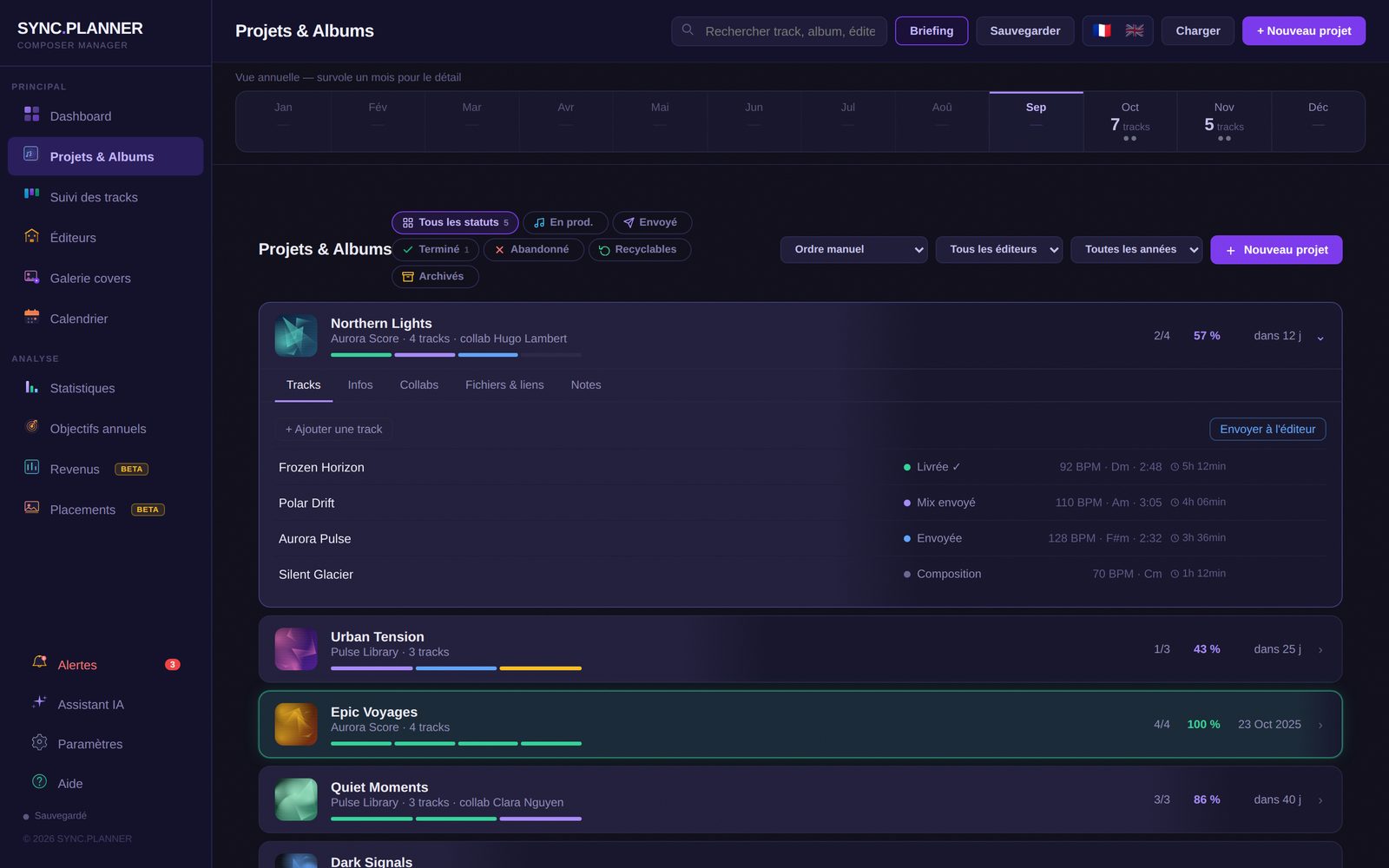
SYNC.PLANNER is a project management tool for sync music composers — library, film, TV, video games and advertising. Unlike generic tools like Notion or Trello, it's built around the real workflow of a professional composer: albums, tracks, publishers, deadlines and follow-ups.

Your data stays with you

Your projects stay stored locally on your Mac, with nothing passing through our servers — and the app works even offline.

Automatic follow-up tracking

Publishers can take weeks or months to respond. SYNC.PLANNER automatically monitors your follow-ups — per album and per track. When the deadline is exceeded, an alert appears and a professional follow-up email is ready, with your signature and full context — just one click to send it.

An optional AI assistant

SYNC.PLANNER works perfectly without AI: deadline alerts and track tracking are already automated natively, and follow-ups are flagged for you at the right time. The AI assistant remains an optional extra, for anyone who wants to go further.

SYNC.PLANNER vs the alternatives

Feature SYNC.PLANNER Spreadsheets
Excel, Sheets
General tools
Notion, Trello
Album & track management ✅ Manual Manual
Publisher follow-ups ✅ ❌ Manual
Logic Pro detection (BPM, key, time) ✅ ❌ ❌
SACEM revenue + Logic Pro time ✅ Manual ❌
AI production coach ✅ ❌ Depends on the tool
100% local & private ✅ Depends on the tool ❌

Indicative comparison with the tools composers most often use to get organised: spreadsheets (Excel, Google Sheets) and general-purpose tools (Notion, Trello), excluding custom setups. SACEM revenue is supported natively; BMI tracking is being considered.

App tour

Every view,
in detail

Here's what SYNC.PLANNER looks like day to day.

SYNC.PLANNER — Track tracker

All your tracks in one table: status, deadline, BPM, key, release.

Pricing

Simple.
No surprises.

14-day free trial. No credit card required to get started.

✓ Try free for 14 days — no credit card required

Every plan includes the same features. Only the billing changes.

✓ Logic Pro integration ✓ SACEM royalties & profitability ✓ Stems analysis ✓ Works registrations check ✓ Unlimited albums & tracks ✓ Updates included
Monthly
€9
per month · cancel anytime
  • All features included
  • Unlimited albums & tracks
  • Mac (Windows coming soon)
Subscribe — €9/mo
Lifetime
€149
one-time payment · lifetime access
  • All features
  • Access to future versions
  • One-time payment
Buy lifetime — €149

Frequently asked questions

Yes — all data is stored locally on the user's computer. Nothing passes through our servers except licence verification.
SYNC.PLANNER is available on Mac (.dmg) right now. A Windows/PC version is in development — not yet available for download.
Yes, no strings attached. Cancel in one click from your Stripe dashboard. Access stays active until the end of the paid period.
A one-time payment of €149 gives permanent access to SYNC.PLANNER, including all future versions.
The AI is entirely optional. SYNC.PLANNER works without artificial intelligence. If you enable the assistant by entering your own API key, the information needed for your request may be sent to the AI provider you chose in order to generate the response, and this usage may result in separate billing directly from that provider (OpenAI, Anthropic or Mistral), independent of your SYNC.PLANNER subscription. SYNC.PLANNER doesn't require any API key for its normal management features.
It's a standard macOS protection. To open SYNC.PLANNER: right-click the app → "Open" → "Open anyway".
SYNC.PLANNER reads the project open in Logic Pro through macOS's Accessibility permission. Open System Settings → Privacy & Security → Accessibility, add SYNC.PLANNER with the + button and switch it on, then relaunch the app. If macOS asks to allow control of “System Events”, click OK. After an app update, macOS may remove this permission: just switch it back on.
Just send an email to contact@syncplanner.app Reply within 24h.
No — these tools are complementary. DropCue, DISCO and Sync Warehouse are sharing and submission tools for music supervisors and music libraries. SYNC.PLANNER manages internal production: album creation, track tracking, publisher deadlines and follow-ups. SYNC.PLANNER is used before pitching — to be perfectly organized when the time comes to submit.
Sync music (music synchronization) refers to the use of music in audiovisual content: films, TV series, video games, advertising. Sync composers typically work with publishers or music libraries that send them briefs with specific deadlines. SYNC.PLANNER is designed for professional composers managing multiple albums and dozens of tracks simultaneously.
Create a project (album) for each publisher order, add your tracks with their status (Composition → Sent → Revision → Mix → Delivered), set a deadline. SYNC.PLANNER automatically calculates progress, alerts you when deadlines approach, and reminds you to follow up with publishers who haven't responded. The AI assistant can analyze your production and help you prioritize tasks.
Yes — that's exactly what SYNC.PLANNER was designed for. Unlimited albums with different publishers, each with its own deadline, tracks and follow-up statuses. The monthly Kanban view gives a global overview of all your tracks. Statistics let you compare your validation rates by publisher to identify the most productive collaborations.
SYNC.PLANNER automatically saves all your data locally with every change, with nothing for you to do. For a manual backup — before an update, or to keep a copy elsewhere — the "Back up" button exports all your data to a JSON file you save wherever you like. To restore everything, on the same computer or a different one, just use "Load" and select that file.

Manage your music projects
without losing track.

14-day free trial, no credit card. See if SYNC.PLANNER fits your workflow.

🍎 Apple Silicon (M1-M4) Intel Windows — In development
Not sure which chip? Apple menu ▸ "About This Mac".
Who built SYNC.PLANNER?

I'm Joeffrey Longagnani, a library music composer for TV, trailers and documentaries. At first everything was fine — just a few tracks to manage. But as my catalogue grew month after month, I lost track of it all. I searched online for a suitable tool and found nothing comparable, so I built my own app. The result: I always know where I stand. Publisher follow-ups are almost automatic, and one click shows me when I last followed up and whether the publisher replied. No more digging through emails or Dropbox to find a brief: the link is right there in the app. I hope it helps other composers in the same situation!